
FullscreenKeeper
Quit an app in full screen, and it opens in full screen next time.
You quit an app with Command-Q while it's in full screen, open it again, and it comes back as a window. macOS only restores full screen for apps that save their window state, and only while "Close windows when quitting an application" is off in Desktop & Dock. Many apps don't, so you click the green button again every time.
FullscreenKeeper remembers which apps you quit in full screen and puts them back in full screen when they open. If you leave full screen before quitting, the app opens as a window, the way you left it.
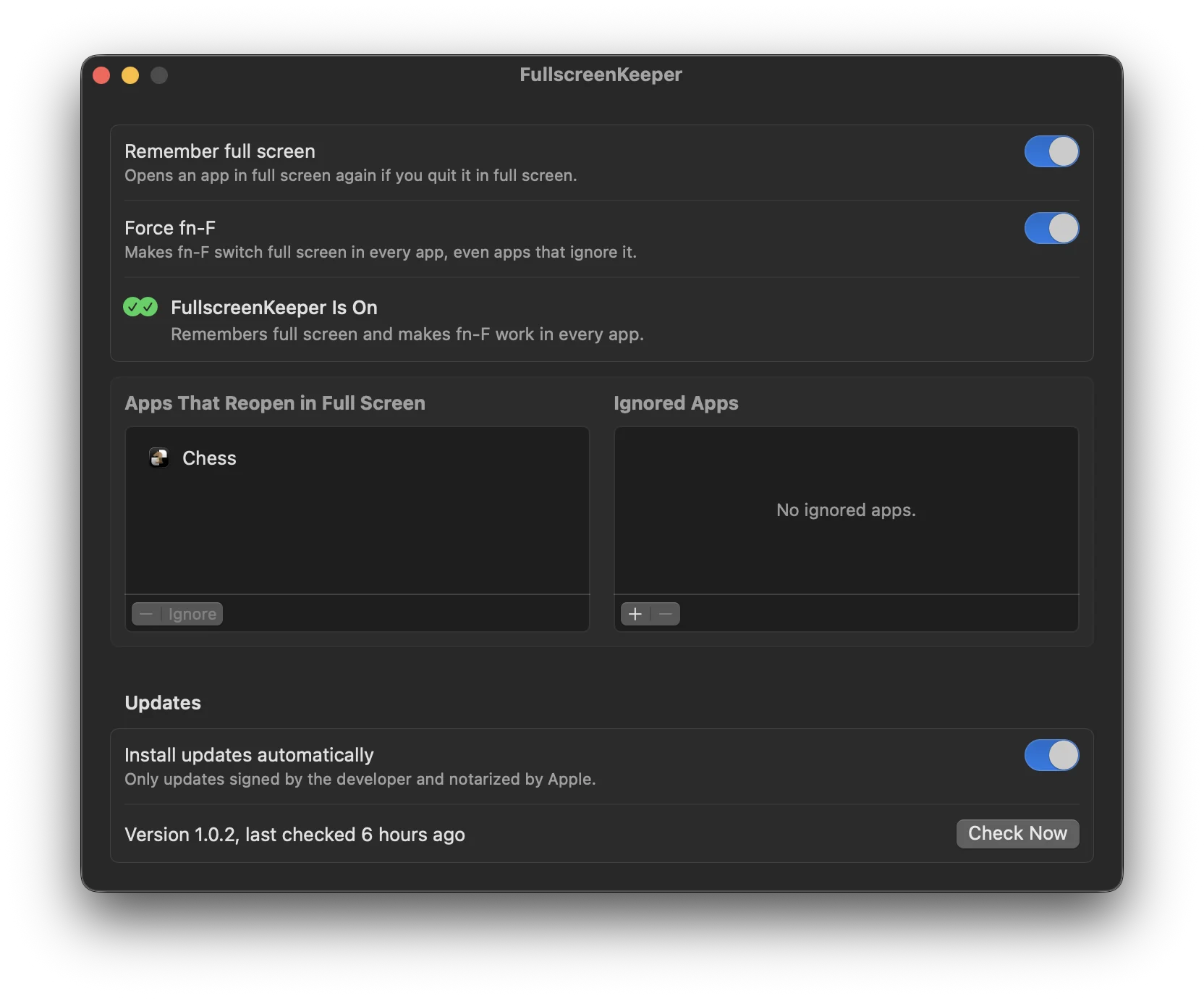
Features
- Puts an app back into full screen when you reopen it, if you quit it in full screen
- Apps that restore full screen on their own are left alone
- Optional Force fn-F: fn-F switches full screen in every app, even in apps that ignore it or type an "f" instead
- An ignore list for apps that should never come back in full screen
- Updates itself, and only installs updates signed by the developer and notarized by Apple
- About 3.4 MB of memory and no polling. Switching desktops or apps doesn't wake it
Install
brew install --cask fratayaydn/tap/fullscreenkeeperOr download FullscreenKeeper-<version>.dmg from the latest release, open it and drag FullscreenKeeper to Applications. The app is signed with a Developer ID and notarized by Apple.
A Mac with Apple silicon, macOS 13 Ventura or later. It needs Accessibility access to see whether a window is in full screen and to put it back. It doesn't read window titles, contents or keystrokes. Force fn-F uses the same permission and only watches the fn key.
Questions
Why does my app open as a window after I quit it in full screen?
macOS only brings back full screen for apps that save their window state, and only if "Close windows when quitting an application" is off. Plenty of apps don't save it, so they start as a normal window every time.
Which apps does it work with?
Apps that use the macOS full-screen mode, the one you get from the green button. Games and apps with their own full-screen mode may not work.
Does it bring back window size or position?
No, only full screen. Split View pairs come back as two separate full-screen apps.
Why does fn-F do nothing in some apps?
fn-F only works in apps whose menus include the standard full-screen item. Some apps, like VS Code and many other Electron and Chrome-based apps, build their own menu, so fn-F does nothing there or types an "f". Turn on Force fn-F and it works in all of them. It's off by default.
How it works
A small background agent asks WindowServer to tell it when a full-screen Space is created or closed, and otherwise sleeps. When a remembered app opens, it waits for the window and turns on full screen through Accessibility. With Force fn-F on, it also watches the fn key, and only while fn is held does it look for F. The Space notifications are not documented by Apple; if a macOS update removes them, it falls back to a public one.
More details, the build instructions and how to uninstall are in the README.