NightKeys
Only your keys wake the keyboard light.
A MacBook lights its keyboard for any input. If you use the trackpad in a dark room, like I do, the keys light up every time you scroll or move the pointer, and they stay lit as long as you keep using it. Turning the backlight off doesn't help either, because then it's dark when you do want to type.
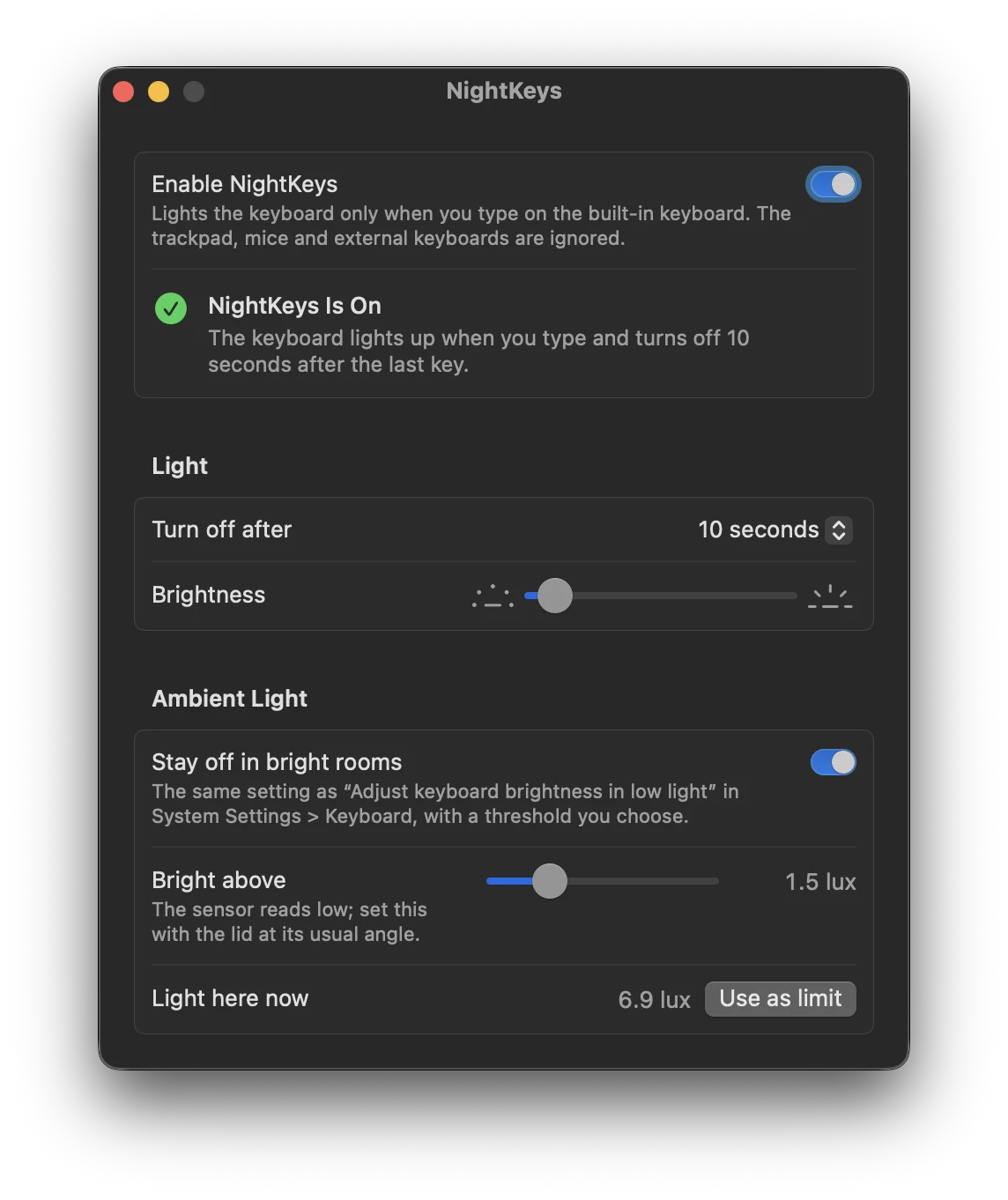
NightKeys lights the keyboard only when you type on the built-in keyboard. Touching the trackpad, moving a mouse or typing on an external keyboard no longer wakes the light. When you stop typing, it goes off after the timeout set in System Settings > Keyboard.
Features
- Can stay off in bright rooms, using the ambient light sensor and a threshold you pick
- Uses the timeout, low-light mode and brightness from System Settings > Keyboard, so a change in either place shows up in both
- About 3 MB of memory and no CPU while idle. It sleeps until you press a key
- Never records, stores or sends what you type. The only network request is a short daily update check
- Updates itself, and only installs updates signed by the developer and notarized by Apple
Install
brew install --cask fratayaydn/tap/nightkeysOr download NightKeys-<version>.dmg from the latest release, open it and drag NightKeys to Applications. The app is signed with a Developer ID and notarized by Apple.
A MacBook with a backlit built-in keyboard and Apple silicon, macOS 13 Ventura or later. Needs Input Monitoring, only to notice that a key on the built-in keyboard was pressed.
Questions
Why does my MacBook keyboard light turn on when I touch the trackpad?
Because macOS treats any input as activity. The trackpad, a mouse and an external keyboard all wake the keyboard light, and there's no setting to change that.
Can't I just fix it in System Settings?
Not really. You can set how long the light stays on and whether it reacts to low light, but not what turns it on. You can turn the brightness all the way down, but then it's dark when you type too.
Can NightKeys see what I type?
No. Input Monitoring lets it notice that a key was pressed, and that's all it uses it for. Nothing is recorded or sent anywhere.
Does it work on Intel Macs?
No, only on MacBooks with Apple silicon.
How it works
A small background agent listens to the built-in keyboard only, so trackpad events never reach it. It controls the backlight through Apple's private CoreBrightness framework. That's also why it isn't on the App Store, and why a future macOS update could break it. If that happens, please open an issue.
More details, the build instructions and how to uninstall are in the README.